What is llms.txt? Examples and how to write one
llms.txt is a simple file that tells AI tools which pages on your site matter. Here is the format, a real example, and an honest look at what it does.
By Spicrawl teamPublished 6 min read
On this page
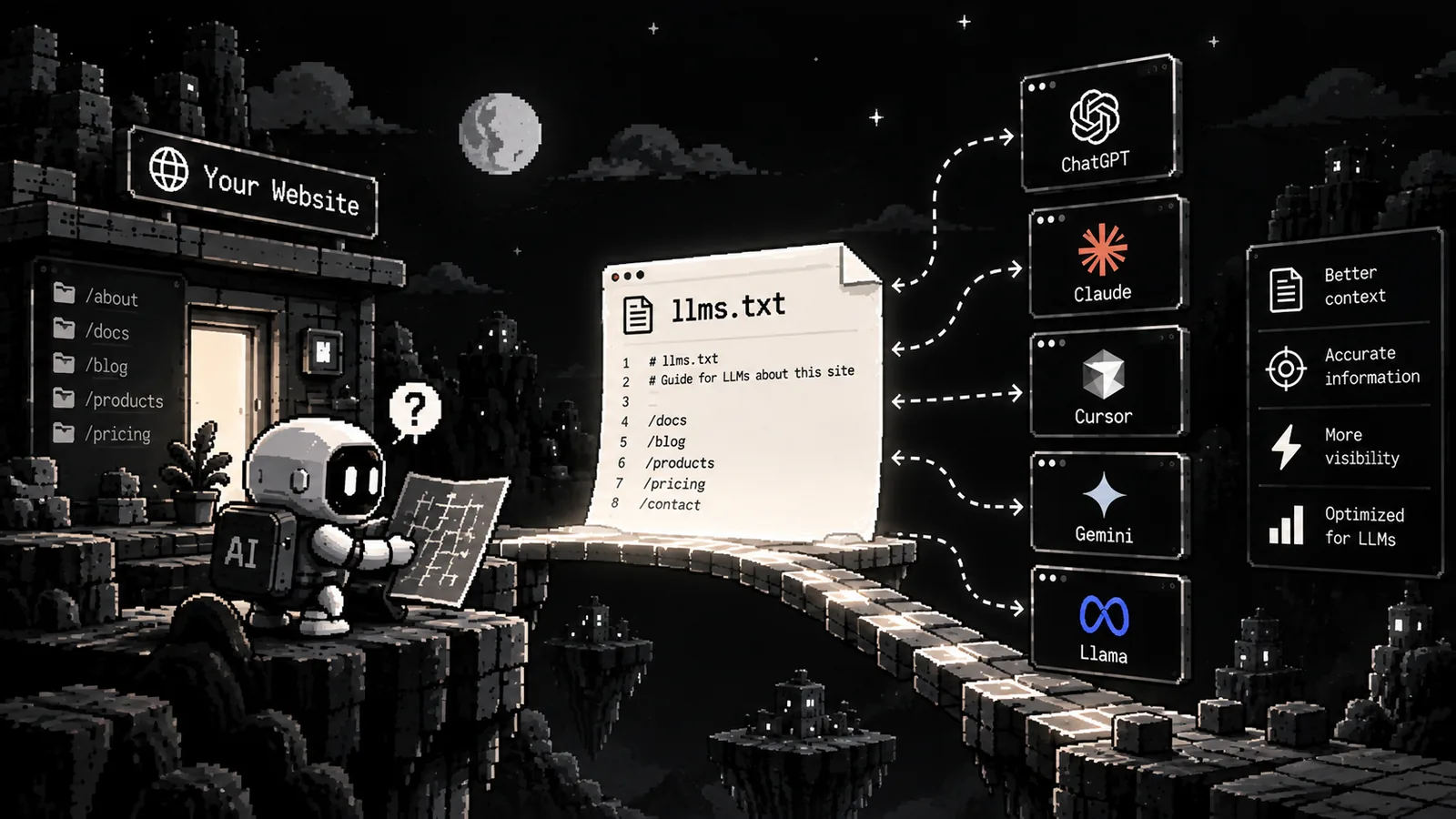
llms.txt is a small text file that helps AI tools find the best pages on your website. You put it at the root of your site, and it lists your key pages with short notes.
This guide explains what the file is, shows the format and a real example, and says clearly what it can and cannot do. We checked the facts on 5 October 2026.
What llms.txt is
Jeremy Howard proposed llms.txt on 3 September 2024. The idea is simple. A website is made for people, with menus, ads and scripts. An AI tool does not need all of that. It needs a short, clean guide to the pages that matter.
The proposal says agents "are best served by concise, expert-level information gathered in a single, accessible location". llms.txt is that single place.
Two points to remember:
- It is a proposal. It is not an official standard. The proposal site calls it "a proposal to standardise on using an /llms.txt file".
- It is used on demand. The proposal says the file is used when an AI tool needs information. Its author expected it to be useful mainly when an AI tool answers a question, and less for training a model, though training could use it too.
Many companies publish one for their developer docs. We checked on 5 October 2026 that Anthropic, OpenAI, Google (Gemini), Cloudflare and Stripe all do.
The format
The file is plain Markdown. The proposal gives these parts, in this order:
- A title. One H1 line with the name of your site or project. This is the only part you must have.
- A short summary. A quote block (a line that starts with
>) that says what the site is. - Optional text. A few paragraphs with more detail.
- Lists of links. Sections that start with an H2 heading. Each list item is a link, and it can have a short note after a colon.
A small example:
# Example Co

> Example Co makes a payments API for small shops. This file lists our most useful pages.

## Docs

- [Quick start](https://example.com/docs/start): Make your first payment in 5 minutes
- [API reference](https://example.com/docs/api): Every endpoint, with examples

## Optional

- [Changelog](https://example.com/changelog): What changed in each release
A section called Optional has a special meaning. By the proposal's convention, it holds extra links that an AI tool can skip when it needs to keep things short.
The proposal also suggests a clean Markdown version of each page, at the same address with .md added.
A real example: ours
Here is the start of the Spicrawl llms.txt:
# Spicrawl

> Spicrawl is a web scraping API that turns web pages into clean data for apps, AI agents and automation workflows. Send a URL and get Markdown, JSON, HTML, text or PDF back. Free during beta, no credit card required.

## Features

- Scrape one URL, or submit up to 10,000 URLs per call as a batch job with JSON Lines results
- JavaScript rendering in a real browser
- Output as Markdown (main content only), JSON, HTML, text or PDF
...

## Links

- [Homepage](https://spicrawl.com/)
- [Documentation](https://docs.spicrawl.com/): guides, API reference and OpenAPI spec
...
- MCP server: https://mcp.spicrawl.com/mcp
We write the top part by hand: the summary, the features and the main links. Then the site's build adds three more sections on its own: product pages, comparison pages and blog posts. The lists come from the same data as the pages. So when we publish a new post, it shows up in the file without anyone editing it, and the file does not list pages that do not exist.
We also say what is not ready yet. For example, our file says that extraction with a model prompt is "coming soon". A guide for AI tools should not promise features that do not exist.
llms.txt vs robots.txt vs sitemap.xml
These three files do different jobs.
| File | Made for | What it does |
|---|---|---|
robots.txt | Crawlers | Says which parts of a site automated tools may access |
sitemap.xml | Search engines | Lists the pages of a site so they can be found |
llms.txt | AI tools | Gives a short, chosen guide to the pages that matter most |
The proposal explains the difference like this. robots.txt says what access is acceptable. llms.txt is used on demand, when an AI tool needs information. A sitemap can list so many pages that they do not fit in an AI tool's context window, and it does not point to LLM-friendly versions of pages. So the three files work together. None of them replaces the others.
Does it help?
Here is the honest answer.
For Google Search: no. Google's own guide says Google Search "doesn't use" llms.txt files. It also says that making one "will neither harm nor help" your visibility or rankings in Google Search. Google says it is fine to make one for other tools that use it.
For other AI tools: it depends. The proposal says AI agents use the file on demand, when they need information. For a documentation site, that can help them find the right page quickly. But we found no promise from the big AI companies that their crawlers use these files to rank or cite your pages. Google is the only company we found that says it clearly.
So treat llms.txt as a small, cheap extra. It is a good fit when:
- you run a documentation site or an API, and developers use AI tools to read your docs;
- you already have clean Markdown versions of your pages;
- you can keep the file up to date by generating it.
It is not a ranking trick. Do not expect traffic from it.
How to write or generate one
- Pick the pages. A good start is 10 to 30 pages that a newcomer, or an AI tool, would need first. Skip the rest.
- Write the summary. One or two plain sentences that say what you do. Leave out marketing words.
- Group the links. Use a few clear H2 headings, such as Docs, Guides and Optional.
- Add a short note to each link. One line that says what the page covers.
- Be honest. Only list pages that exist and are public. Do not describe features that are not ready.
- Publish it at the root. The file must open at
yoursite.com/llms.txtas plain text or Markdown. - Check it. Open the address in a browser. It should show plain text that starts with
#.
If your site changes often, generate the file instead of editing it by hand. This small Node script writes a file in the right format from a list of pages:
import { writeFile } from "node:fs/promises";

const site = {
  name: "Example Co",
  summary: "Example Co makes a payments API for small shops. This file lists our most useful pages.",
  base: "https://example.com",
};

const sections = {
  Docs: [
    { title: "Quick start", path: "/docs/start", note: "Make your first payment in 5 minutes" },
    { title: "API reference", path: "/docs/api", note: "Every endpoint, with examples" },
  ],
  Optional: [
    { title: "Changelog", path: "/changelog", note: "What changed in each release" },
  ],
};

const lines = [`# ${site.name}`, "", `> ${site.summary}`];
for (const [heading, pages] of Object.entries(sections)) {
  lines.push("", `## ${heading}`, "");
  for (const p of pages) lines.push(`- [${p.title}](${site.base}${p.path}): ${p.note}`);
}

await writeFile("public/llms.txt", lines.join("\n") + "\n");
Run it as part of your build, so the file is always current. Many site tools can also make the file for you. The proposal names Mintlify, GitBook, Yoast SEO, AIOSEO and Wix.
Clean Markdown pages make the file more useful, because an AI tool can read the page it links to without extra work. If you need to turn existing pages into Markdown, our website to Markdown converter does that, and our post on HTML vs Markdown for LLMs shows how many tokens it can save.
Frequently asked questions
What is llms.txt?
llms.txt is a plain text file, written in Markdown, that you put at the root of your website. It has a short summary of your site and a list of links to your most useful pages, so an AI tool can find the right page without reading everything.
Is llms.txt an official standard?
No. It is a proposal. Jeremy Howard published it on 3 September 2024, and the proposal site describes it as a proposal to standardise on using an /llms.txt file.
Does Google use llms.txt?
No. Google's own guide says Google Search does not use llms.txt files. It also says that creating one will neither help nor harm your visibility or rankings in Google Search, because Google Search ignores them.
Where do I put the llms.txt file?
Put it at the root of your site, so it opens at yoursite.com/llms.txt. The proposal also allows a file at any path, where it covers the pages under that path.
Is llms.txt the same as robots.txt?
No. robots.txt tells automated tools which parts of a site they may access. llms.txt is a guide for AI tools that read your site on demand. It does not block or allow anything. The proposal says it can work alongside robots.txt.
Do I need to list every page in llms.txt?
No. A sitemap is for listing many pages. An llms.txt file is a short, chosen list of the pages that matter most, with a one-line note for each.
Sources
Product details were checked against each company’s own website and docs. Products change: if something here is out of date, email support@spicrawl.com.
- llms.txt proposal (llmstxt.org)
- Google Search Central: Optimizing for generative AI features on Google Search
- Example: Anthropic developer docs llms.txt
- Example: OpenAI API docs llms.txt
- Example: Gemini API docs llms.txt
- Example: Cloudflare developer docs llms.txt
- Example: Stripe docs llms.txt
- Example: the Spicrawl llms.txt