Web scraping 403 Forbidden: causes and fixes
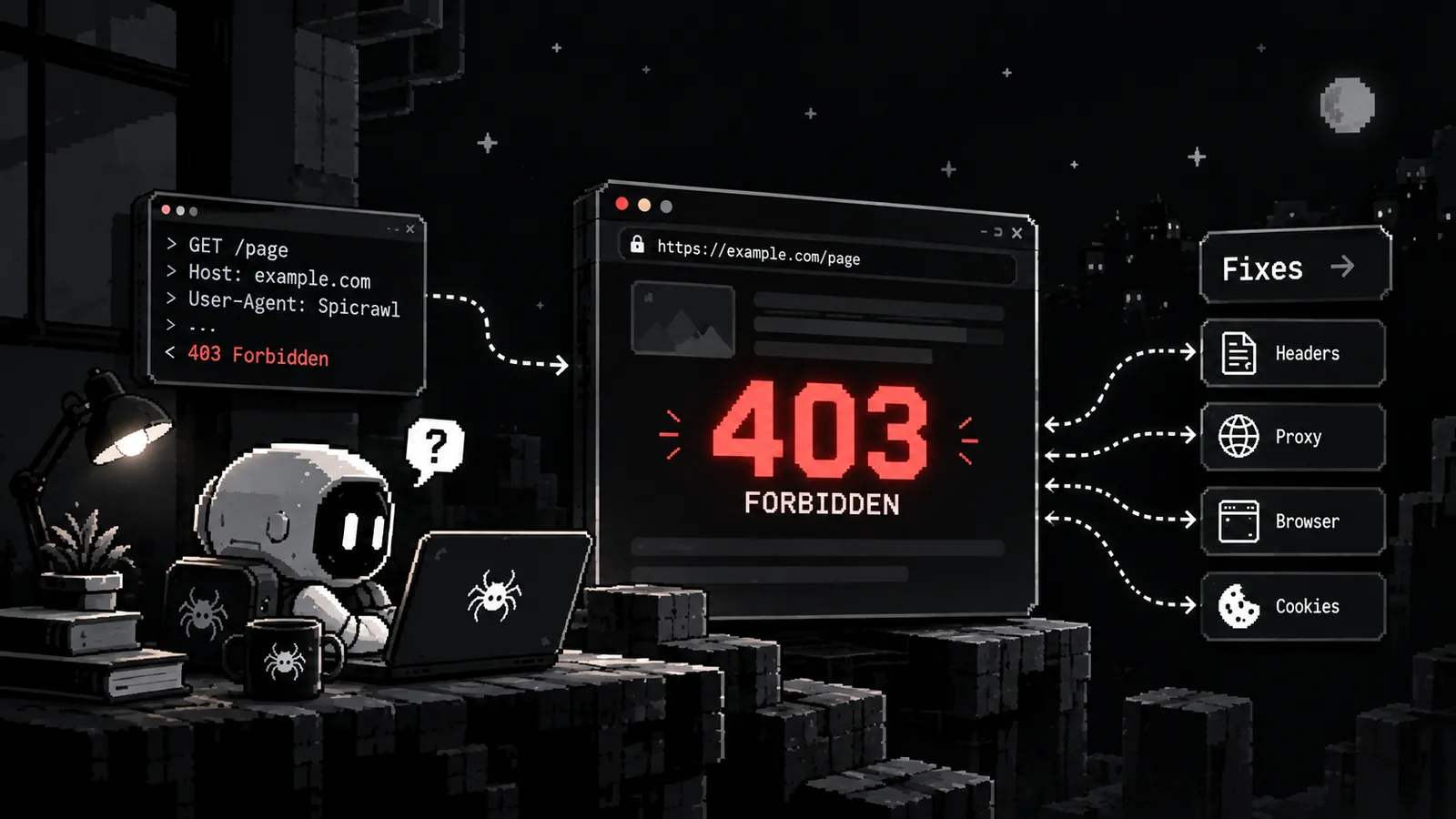
A 403 means the server understood your request and refused it. Here is how to find out why, what you can fix, and when to stop.
By Spicrawl teamPublished 5 min read
On this page
A script that worked yesterday starts getting 403 Forbidden. Sometimes it is a one-line fix. Sometimes the site has decided it does not want your traffic. This guide shows how to tell which, and what to do in each case.
It covers Python with the requests library. We ran the examples below against a local test server that returns 403 and 429 on purpose, so the behaviour described is what the code does.
What a 403 means
A 403 Forbidden means the server understood the request and refused to process it. It is similar to a 401, except that for a 403 "authenticating or re-authenticating makes no difference", in MDN's words. The server is saying what you may not do. It is not asking for a password.
So a 403 is a message, not an error to get around. Your job is to read it.
The usual causes
- The default User-Agent. Many HTTP libraries announce themselves by name, and some servers refuse that. A request that names your tool clearly can pass where the default fails.
- Too many requests. Servers often answer with 429 Too Many Requests and a
Retry-Afterheader, but some answer 403 instead. - The address or region. A site can refuse a range of IP addresses or a whole country.
- A bot challenge. Sites behind services such as Cloudflare, DataDome, Akamai or PerimeterX can show a check page instead of the content. It often says "Just a moment…" or "Access denied".
- A login you need. A page for members only may answer 403 to everyone else.
- A page that is not meant to be read. An admin area, a directory listing, a file you have no rights to.
- A decision to block automated access. Some sites now block AI and automated traffic on purpose; see how Cloudflare's new settings work.
Find out which one it is
Before changing anything, look at the response:
import requests

r = requests.get("https://example.com/page", timeout=15)
print(r.status_code)
print(r.headers.get("server"), r.headers.get("content-type"))
print(r.text[:300])
The body usually says more than the status code does. A challenge page, a login form, a plain "forbidden" message and a rate-limit notice each point to a different fix. Always set timeout. The Requests documentation warns that without it, a request can wait forever.
Fixes in Python
Each of these fixes only what is yours to fix.
1. Identify your tool
Describe your scraper honestly and say how to reach you:
HEADERS = {"User-Agent": "my-research-bot/1.0 (+https://example.com/bot; me@example.com)"}
r = requests.get(url, headers=HEADERS, timeout=15)
In our test, a server that refused the library's default User-Agent accepted this one. A named tool with a contact address also lets the site owner reach you. Owners like that more than traffic with no name. Copying a real browser's User-Agent string to get past a block is a different thing, and we do not recommend it.
2. Read robots.txt and follow it
Python's standard library can check whether a path is allowed and read a crawl delay:
import urllib.robotparser

rp = urllib.robotparser.RobotFileParser()
rp.set_url("https://example.com/robots.txt")
rp.read()

agent = "my-research-bot"
if rp.can_fetch(agent, "https://example.com/private/report"):
    ...  # fetch it
delay = rp.crawl_delay(agent)  # None when the file sets no delay
can_fetch returns False for paths the file disallows. Treat that as a no.
3. Slow down and follow Retry-After
import time

def polite_get(url, tries=3):
    for attempt in range(tries):
        r = requests.get(url, headers=HEADERS, timeout=15)
        if r.status_code != 429:
            return r
        retry = r.headers.get("Retry-After", "")
        # Retry-After is usually seconds, but it can also be a date
        wait = int(retry) if retry.isdigit() else 2 ** attempt
        time.sleep(wait)
    return r
When a server sends Retry-After, it tells you how long to wait. Use that number. If it sends nothing, or sends a date, wait a little longer each time and stop after a few tries. Keep a pause between requests to the same site, and use any crawl delay from robots.txt.
4. Reuse a session for pages you are allowed to see
If a page needs a login that you are allowed to use, a Session keeps the cookies the site sets:
with requests.Session() as s:
    s.headers.update(HEADERS)
    s.get("https://example.com/login", timeout=15)  # the site sets its session cookie
    page = s.get("https://example.com/members", timeout=15)
This only makes sense for accounts you own or have permission to use. In our test, the members page answered 403 without the session and 200 with it. Never put credentials in code you commit.
When the site is telling you no
Some 403s are not bugs. Maybe you fixed the headers, slowed down and followed robots.txt, and the site still says no. Or it shows a check page every time. Then the owner has chosen not to serve automated traffic.
At that point:
- Stop. Do not try to work around it.
- Look for an official route. An API, a data feed, a sitemap or a licence usually beats scraping.
- Ask. A short email to the site owner, saying what you want and why, is often answered.
A block can be a mistake or a decision. Once it is clear that it is a decision, respect it.
With Spicrawl
Spicrawl fetches the URLs you send and reports what the site said. Its status is separate from the site's, so always read the site's status:
import os
import requests

r = requests.post(
    "https://api.spicrawl.com/v1/scrape",
    headers={"Authorization": f"Bearer {os.environ['SPICRAWL_API_KEY']}"},
    json={"url": "https://example.com/page", "response_format": "markdown", "max_cost": 1},
    timeout=120,
)
r.raise_for_status()
print(r.headers["X-Target-Status"]) # the site's own status, for example 200 or 403- A 403 from the site comes back as HTTP 200, with the site's status in
X-Target-Status, and it costs 0 credits. - A bot challenge is never billed. The request fails with
ERR::UPSTREAM::CHALLENGE, and you pay nothing until a request returns the real page. - Retry only when told to. Errors carry a
retryableflag. Waitretry_after_secondswhen it is given, and stop after two or three tries. - Try the cheapest step first. A plain request costs 1 credit and browser rendering costs 3. Use
js_renderwhen the page builds its content with JavaScript, and setmax_costto the step you intend. - If the check page keeps coming back, stop. If a site keeps serving a challenge to automated traffic, it does not want it. Spicrawl's anti-bot guide explains the error and the cost of each step, but a site that blocks on purpose is still a no.
Spicrawl does not crawl a site or discover pages for you. You send the URLs, and you are responsible for having the right to read and use what comes back; see our terms.
Frequently asked questions
What does a 403 Forbidden error mean in web scraping?
The server understood your request and refused to process it. MDN describes it as tied to application logic, such as insufficient permissions for a resource. For a scraper it usually means the site decided not to serve you, for a reason you can often find in the response body and headers.
What is the difference between 401 and 403?
A 401 means you are not authenticated, so logging in can help. MDN says that for a 403, authenticating or re-authenticating makes no difference, because the server has decided you may not have that resource.
Why does the page open in my browser but return 403 to my script?
The site is treating the two requests differently. A script often sends a library's default User-Agent, no cookies and no JavaScript execution, and some sites refuse that. Compare the response body and headers to see whether it is a plain header rule, a challenge page or a login wall, then fix only the part that is yours to fix.
Will a proxy fix a 403?
Only if the cause is the address or region your requests come from. If the site blocks automated access as a policy, a different IP does not change that decision, and trying to get around a block the owner put there on purpose is not something this guide recommends.
Is it okay to change my User-Agent?
Yes, to describe your tool honestly, for example with the tool's name and a contact address. Some servers reject a library's default User-Agent. Pretending to be a particular browser to defeat a block is a different matter, and it is not a fix we recommend.
Does Spicrawl charge for a 403?
No. When a site answers 403, Spicrawl still returns HTTP 200, shows the site's status in the X-Target-Status header, and charges 0 credits. A bot challenge is also never billed.
Sources
Product details were checked against each company’s own website and docs. Products change: if something here is out of date, email support@spicrawl.com.